How to Stop Computer Vision Syndrome: Digital Eye Strain Prevention Guide
Your eyes aren't designed to stare at a glowing rectangle for eight hours a day. If you've ever finished a workday with a dull headache, blurry vision, or eyes that feel like they've been rubbed with sandpaper, you're likely dealing with Computer Vision Syndrome is a group of eye- and vision-related problems that develop from extended screen use. Also known as digital eye strain or CVS, this condition hits a staggering 50-90% of regular computer users. It happens when the visual demands of your screen exceed your eyes' ability to comfortably handle the task, often slashing productivity by up to 20%.
Why Your Screens Are Hurting Your Eyes
It isn't just the light; it's how your eyes behave when they're locked onto a digital display. Normally, we blink frequently to keep our eyes moist. However, when you're deep in a spreadsheet or scrolling through social media, your blink rate drops by about 66%-going from 15 blinks per minute down to just 5. This is why your eyes feel dry and irritated by 3 PM.
At the same time, your Ciliary Muscles, which are the muscles that help your eye focus on close objects, stay in a state of constant tension. Unlike reading a physical book, digital characters have less contrast, making them harder for the brain to process. This constant effort leads to the classic symptoms of CVS: headaches in 43.8% of users, blurred vision in 39.2%, and chronic neck or shoulder pain in 27.6% of those affected.
The 20-20-20 Rule: Your Best Defense
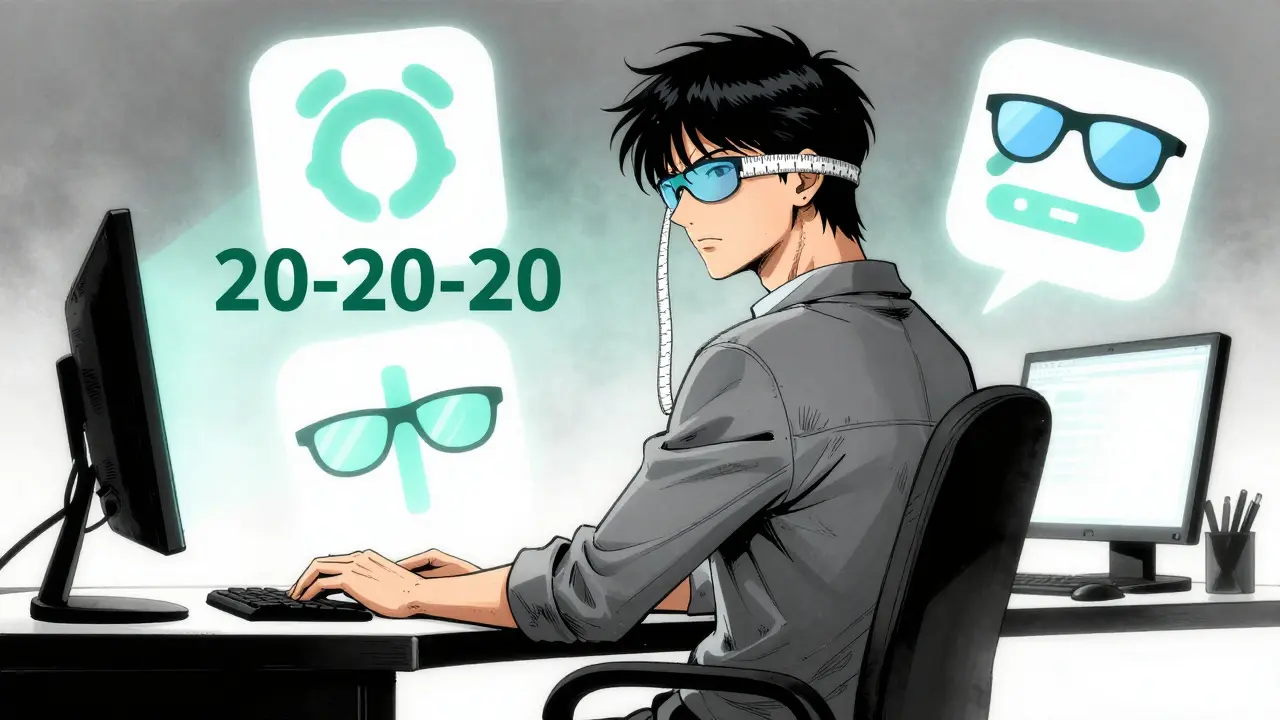
You don't need expensive gadgets to start feeling better. The 20-20-20 Rule is a scientifically validated habit recommended by the American Optometric Association. It’s simple: every 20 minutes, look at something 20 feet away for at least 20 seconds. This short break allows those overworked ciliary muscles to relax and resets your focus.
Clinical observations show that sticking to this routine can reduce symptoms by 53%. If you struggle to remember, try using a free app like EyeLeo or Time Out. One software developer reported that using a reminder app to force these breaks reduced their daily headaches from five days a week to just one within three weeks.

Optimizing Your Workspace Ergonomics
Where you put your monitor matters as much as how long you look at it. If your screen is too high, you're straining your neck; too low, and you're slouching. The goal is a 15-20 degree downward gaze.
Follow these concrete measurements to set up your station:
- Screen Height: The top of the monitor should be at or slightly below eye level.
- Viewing Distance: Keep the screen 20 to 28 inches (50-70 cm) from your eyes. Use a tape measure to be sure; eyeballing it usually leads to screens being too close.
- Lighting: Aim for ambient light levels between 300-500 lux. Standard office lighting is often too bright (750-1000 lux), which creates glare and reduces contrast by up to 50%.
Adjusting these three factors can reduce neck strain by 30% and eye fatigue by 40%. If you're using a laptop, consider a laptop stand and an external keyboard to bring the screen up to the correct height.
| Method | Primary Target | Reported Effectiveness | Implementation Effort |
|---|---|---|---|
| 20-20-20 Rule | Muscle Tension | ~53% symptom reduction | Low (Habit-based) |
| Ergonomic Setup | Neck/Eye Fatigue | 30-40% strain reduction | Medium (One-time setup) |
| Blue Light Filters | High-Energy Light | ~28% reduction (varied) | Low (Purchase/Software) |
| Artificial Tears | Dry Eye Surface | 78% report improvement | Low (Daily use) |
The Truth About Blue Light Glasses
You've likely seen ads for Blue Light Filtering Glasses. These lenses aim to block 10-30% of high-energy visible blue light in the 400-455nm range. Some users, especially those with pre-existing dry eye syndrome, swear by them, reporting significant relief.
However, the medical community is split. The American Academy of Ophthalmology suggests that the benefits might be a placebo effect, with only a 15% additional reduction in symptoms compared to regular clear lenses. The real issue often isn't the color of the light, but the lack of blinking and the distance of the screen.
If you want the benefits without buying glasses, use built-in software tools. Windows "Night Light" and macOS "Night Shift" reduce blue light emissions by 30-50% during evening hours, helping your circadian rhythm without costing a dime.
Medical Interventions and Professional Care
Sometimes, a change in posture isn't enough. About 70% of CVS cases are actually caused by uncorrected vision problems, such as Presbyopia (age-related farsightedness) or Astigmatism. If you're over 40, you might be fighting a losing battle against your own biology if you don't have the right prescription.
For those suffering from severe dryness, Artificial Tears (preservative-free lubricating drops) used 2-4 times daily can be a lifesaver. In recent years, the FDA even approved prescription drops like EYSUVIS 0.25% specifically for digital eye strain. But before jumping to medication, a comprehensive eye exam every 12 months is the most effective way to ensure you aren't wearing the wrong glasses for your computer distance.
Putting it All Together: A Daily Action Plan
No single fix works for everyone. The most successful way to beat digital eye strain is a combined approach. A study published by the National Institutes of Health found that combining ergonomic adjustments, the 20-20-20 rule, and blue light filtering reduced symptoms by 62.3%.
Start your day by checking your monitor height and distance. Throughout the day, force yourself to blink fully every few seconds to stabilize your tear film. When the 20-minute timer hits, look away. If you still feel strain, it's time to book an appointment with an optometrist to see if your prescription needs a "computer-specific" tweak.
How do I know if I have Computer Vision Syndrome?
Common signs include dry or itchy eyes, blurred vision, frequent headaches, and pain in your neck and shoulders after using a digital device. If these symptoms improve when you step away from your screen for a few hours, it's likely CVS.
Are blue light glasses actually effective?
They vary by person. Some users report significant relief, particularly those with dry eye issues. However, major ophthalmology organizations suggest the evidence is limited and that ergonomic changes and the 20-20-20 rule provide more consistent results.
What is the ideal distance between my eyes and the monitor?
The sweet spot is generally between 20 and 28 inches (50-70 cm). If you are closer than 20 inches, you increase the strain on your ciliary muscles; if you are further than 28 inches, you may lean forward, causing neck pain.
Can CVS cause permanent vision loss?
CVS typically causes temporary discomfort and fatigue rather than permanent damage. However, chronic untreated strain can lead to severe dry eye or exacerbate existing vision problems, making it essential to manage symptoms early.
How often should I get my eyes checked if I work on a computer?
Experts recommend a comprehensive eye exam every 12 months for heavy computer users. This ensures that any shift in your vision or the development of conditions like presbyopia is caught and corrected with a computer-specific prescription.